







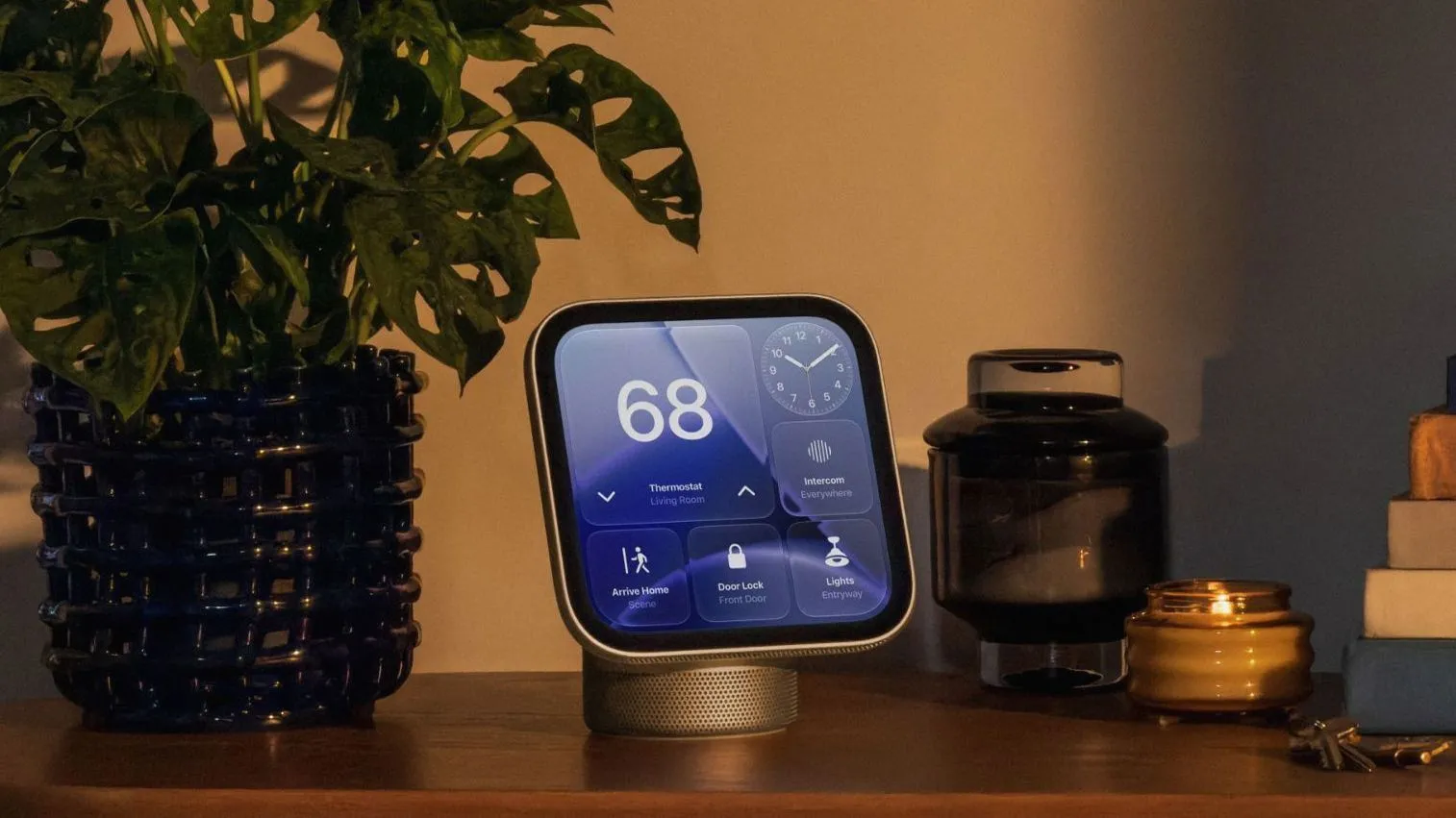

Apple has officially launched HomeView, its latest foray into the smart home market, bringing a seven inch square display powered by the A18 chip and integrated Siri AI. While the hardware is impressive, users are now discovering a variety of small but significant operational quirks during setup. For instance, the device relies heavily on precise environmental conditions for its facial recognition to work correctly. Owners should ensure they are centered in the frame under even lighting and avoid blocking the camera with sunglasses or overhanging cabinetry, as these obstacles can prevent the hub from recognizing who is standing in front of it.
Beyond basic identification, HomeView includes some surprising utility tools tucked away in its Control Center. One such feature is a mirror mode that allows users to see themselves via the camera, complete with adjustable zoom levels and an edge light for better illumination. The user interface also offers customization options familiar to other Apple ecosystems, allowing owners to adjust the transparency of the Liquid Glass interface from completely clear to fully opaque. To keep things streamlined, notifications are limited strictly to phone calls and home device alerts, though critical notifications can still be toggled on for emergencies.
Managing security and power requires a bit of a learning curve since there is no physical power button on the chassis. Users looking to restart their device must either dive into the Settings app or simply unplug it from the wall. When it comes to accessing personal content, Apple uses a multi layered approach combining face recognition with proximity checks from an iOS device on the same network. In cases where someone attempts too many failed logins, facial recognition will automatically disable itself as a security measure, requiring verification through a registered mobile device instead.
For those winding down for the evening, HomeView introduces a convenient sleep timer that pauses media playback once time runs out. Integration remains seamless across the ecosystem, permitting users to log into various apps and websites using their iPhones much like they currently do with Apple TV. With guest access controls already built in, this new hub aims to balance high end automation with strict privacy boundaries for everyone living under one roof.